The short answer
Alt text is a short description of an image, used by screen readers and shown when an image fails to load. In Shopify, click a product image and choose Add alt text. Shopify allows 512 characters but recommends 125 or fewer. Describe what the image shows, naturally including words shoppers would use.
Check your image against these rules for freeWhy alt text matters
- Accessibility: screen readers read it aloud to people with visual impairments.
- Reliability: it appears in place of the image if the file fails to load.
- Search: it helps search engines understand the image and the page, as Shopify’s own SEO guidance notes.
How to write good alt text
| Image | Weak alt text | Good alt text |
|---|---|---|
| Main photo | bag | Sand canvas messenger bag with dark brown leather straps |
| Lifestyle | messenger bag best bag canvas bag buy bag | Man wearing a canvas messenger bag crossbody on a city sidewalk |
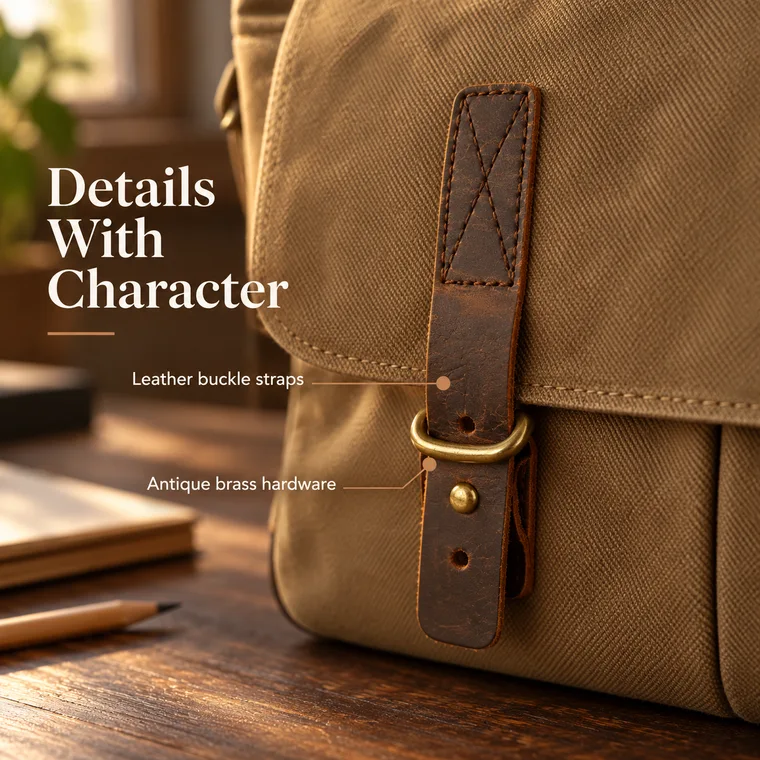
| Detail | IMG_2043 | Close-up of a leather buckle strap with brass hardware |
- Say what the image shows, as you would to someone on the phone.
- Include the product name and the detail that makes this image different.
- Use words from the page naturally, instead of a list of keywords.
- Keep it to 125 characters or fewer.
- Skip phrases like “image of”, since screen readers already announce an image.
Where to add alt text in Shopify
Shopify gives you three ways to add it:
- On desktop: go to Products, open a product, click a media item, click Add alt text, then save.
- In the Shopify app: open the product, tap a media item, tap Information, then enter the text and save.
- In bulk: upload alt text through a product CSV file. This is the fastest way to handle a large catalog.
The media editor may suggest alt text for images that do not have any. Read each suggestion before accepting it, to check that it describes the image correctly.
Other Shopify image SEO basics
- Use descriptive file names, such as canvas-messenger-bag-front.jpg, before uploading.
- Keep the image size reasonable so pages load quickly.
- Give each page a unique SEO title of 60 characters or fewer, and a description of about 160.
- Write at least a few useful paragraphs of product text around your images.
Common questions
How long should Shopify alt text be?
Shopify allows up to 512 characters but recommends 125 or fewer.
Does alt text help Shopify SEO?
It can help search engines understand an image, and Shopify suggests using relevant keywords in readable phrases. Its first job is describing the image for people who cannot see it.
Can I edit Shopify alt text in bulk?
Yes. You can add alt text through a product CSV file. There are also apps for this, if you prefer one.
Should every image have different alt text?
Yes, ideally. Each image shows something different, so each description should say what that image adds.
Sources
Platforms change their rules, so check the latest requirements in your seller account before you upload.